
How to use AI for email writing is a common question among professionals, freelancers, students, and business owners who want to save time while improving communication quality. AI can generate email drafts, fix grammar, adjust tone, and organize thoughts in seconds, making email writing faster and more efficient without replacing human thinking.
The real value of AI in email writing is not just speed it is clarity and structure. When used correctly, AI becomes a writing assistant that helps you communicate better, but the quality of results depends heavily on how well you guide it with clear instructions and context.
Why More People Are Using AI to Write Emails

AI has become a daily productivity tool because it solves one of the most common workplace problems: writing effective emails quickly. Many people struggle with wording, tone, or structure, and AI helps remove that barrier.
It saves time by turning rough ideas into complete messages in seconds. It also reduces writer’s block, especially when you are unsure how to start. For professionals, AI improves clarity and helps maintain a consistent tone across different types of communication.
Another major reason is professionalism. AI tools help users avoid grammar mistakes, unclear sentences, and overly casual wording, making emails look more polished and business-ready.
What AI Can and Cannot Do in Email Writing
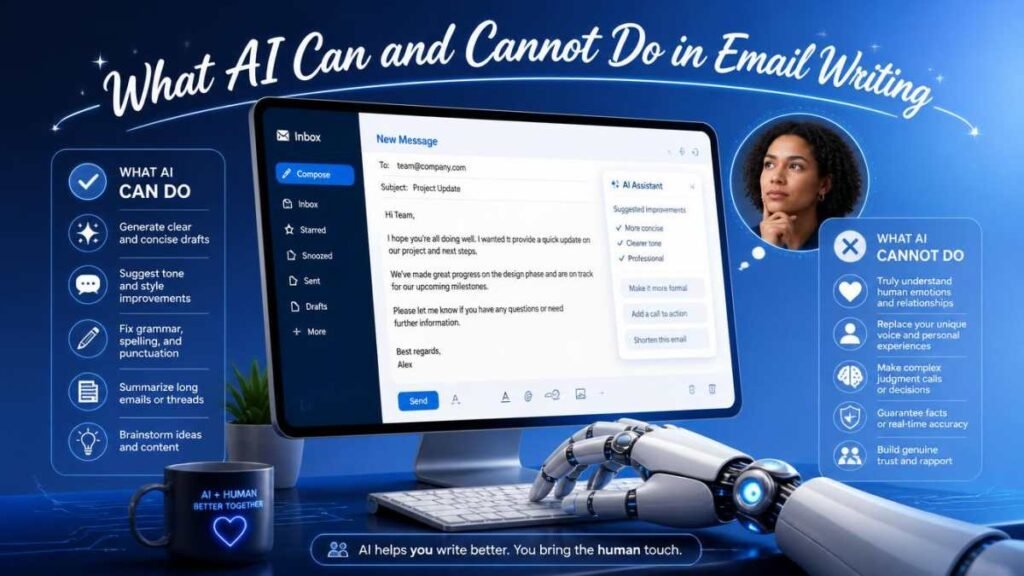
AI is powerful, but it has its limitations. Knowing its strengths and weaknesses is essential for using it effectively.
Tasks AI Handles Well
AI is excellent at generating first drafts, improving grammar, rewriting sentences, summarizing long messages, and adjusting tone. It can quickly turn simple instructions into structured emails for business, customer support, or formal communication.
Where Human Review Is Still Necessary
AI cannot fully understand personal context, relationships, or sensitive situations. It may also produce generic or overly formal text if not guided properly. That is why human editing is necessary to add emotion, accuracy, and personalization before sending any email.
Step-by-Step: How to Use AI for Email Writing
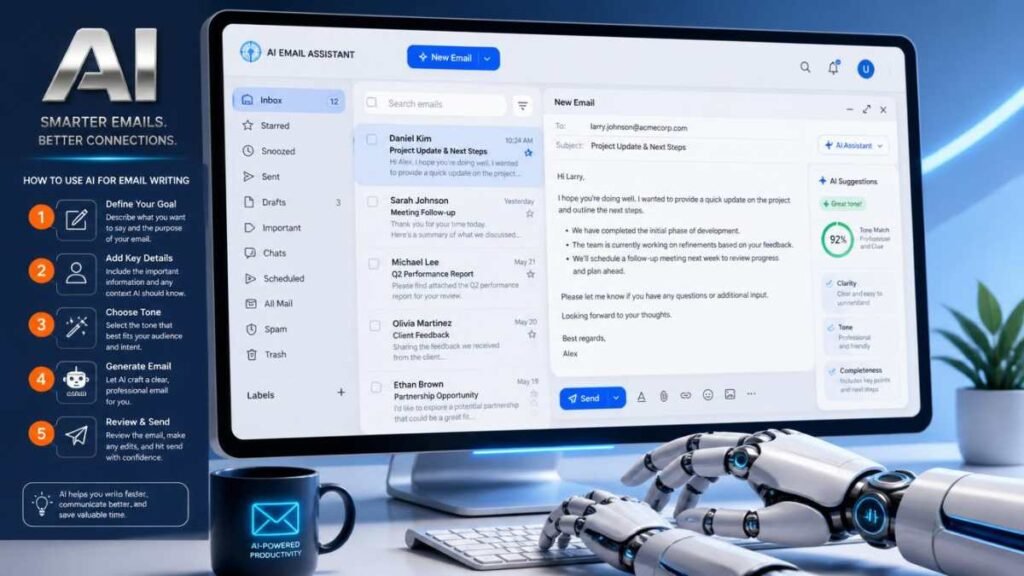
Define Your Goal Clearly
Before using AI, decide what type of email you want. It could be a job application, business proposal, follow-up message, or customer response. A clear goal helps AI generate more accurate results.
Give AI Proper Context
Always explain who you are, who the recipient is, and what the purpose of the email is. The more context you provide, the better and more relevant the output will be.
Specify the Tone
Tone is very important in email writing. You should clearly mention whether the email should be formal, friendly, persuasive, or professional. This ensures the message matches the situation.
Review the AI Draft
Never use the first output directly. Read it carefully, remove unnecessary parts, and correct anything that feels unnatural or too generic.
Personalize the Content
Add personal details like names, specific references, or past interactions. This step makes the email feel human and authentic instead of AI-generated.
Proofread Before Sending
Finally, check grammar, clarity, and formatting. A quick final review ensures your email is clean, professional, and error-free
Best Prompts for AI Email Writing
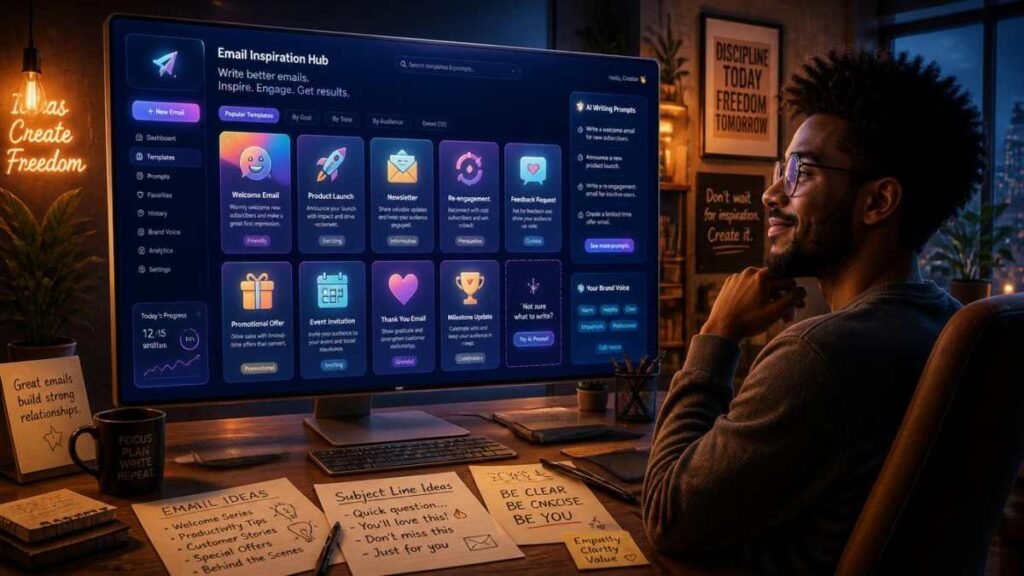
Good results from AI depend on how good your prompt is. Here are some effective examples:
Business Emails
“Write a professional email to a client in a formal tone, providing an update on the project progress.”
Job Applications
“Write a polite and confident job application email for a marketing position.”
Customer Support
“Write a helpful customer support email addressing a complaint about a delayed delivery.”
Sales Emails
“Write a persuasive sales email introducing a new digital marketing service to small businesses.”
Follow-Up Emails
“Write a polite follow-up email after a business meeting, asking about the next steps.”
Meeting Requests
“Write a formal email requesting a meeting with a client next week.”
Common AI Email Writing Mistakes
One of the biggest mistakes is copying AI output without editing. This often results in generic or unnatural messages. Another common issue is giving vague instructions, which leads to poor-quality emails.
Many users also forget to add personalization, making the email sound robotic. Ignoring company context or tone requirements can also create communication issues in professional settings.
Tips to Make AI-Generated Emails Sound More Human
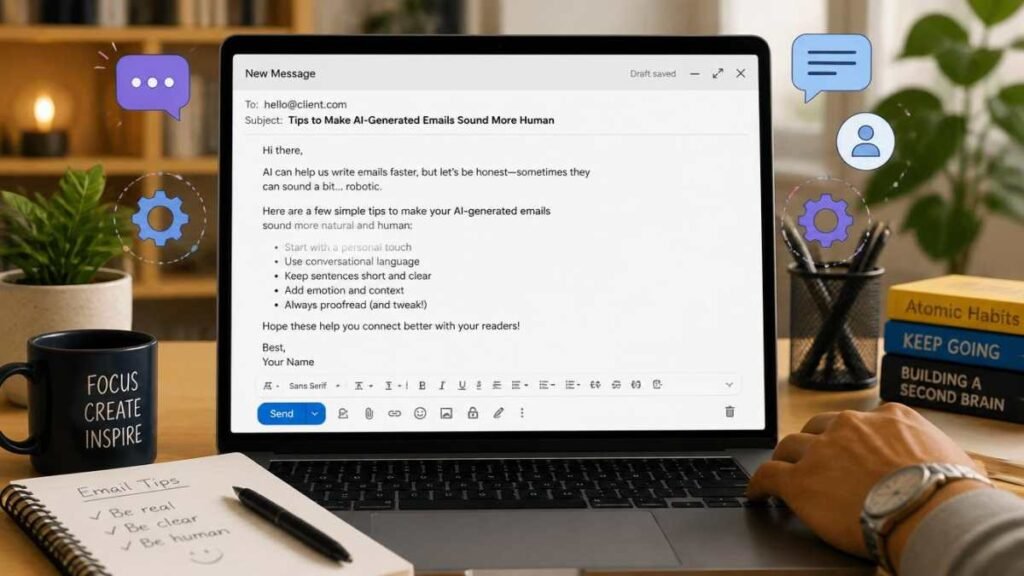
To make AI emails sound natural, always rewrite small parts in your own style. Use simple, conversational language instead of overly formal sentences. Add emotional or situational context where needed.
Avoid long repetitive sentences and keep the message clear and direct. Human touch is what transforms an AI draft into a professional email.
When You Should Not Fully Rely on AI
AI should not be fully trusted in sensitive communication. Legal emails, financial discussions, HR matters, or medical-related messages need careful human control. These situations require accuracy, responsibility, and emotional understanding that AI cannot fully provide.
The Future of AI Email Writing
AI is becoming an essential writing assistant in daily communication. In the future, it will better understand personal tone, past conversations, and context to generate even more accurate emails. However, human input will always remain important for decision-making and personalization.
FAQs
How do I use AI to write an email?
You provide a clear prompt with context, tone, and purpose, and AI generates a draft that you can edit and personalize before sending.
Can AI write professional emails?
Yes, AI can create professional emails, but human review is needed to ensure accuracy and personalization.
Is AI email writing accurate?
It is generally accurate for structure and grammar, but context and emotional tone should always be checked manually.

Oliver Sterling is a seasoned AI strategist and tech researcher. With a focus on generative AI and neural networks, he explores how artificial intelligence is reshaping industries. When not prompting LLMs, he’s busy analyzing the next big shift in technology.