
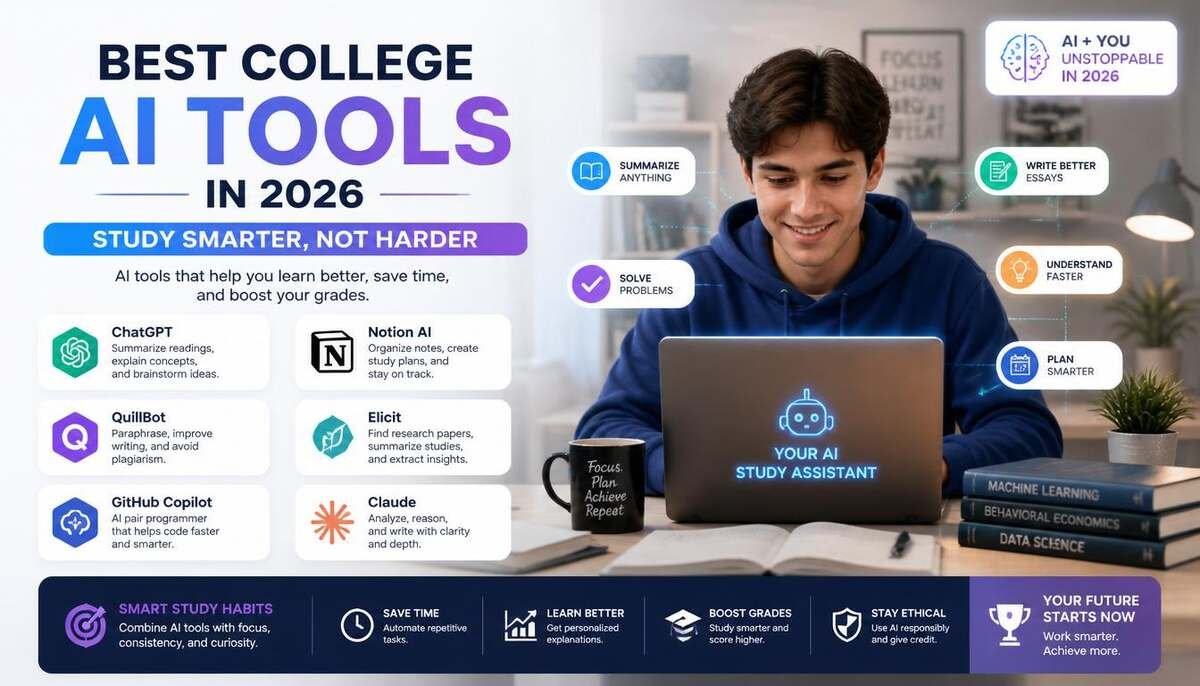
College life is more demanding than ever, with students balancing assignments, exams, research, internships, and career planning. Artificial intelligence now plays a key role in helping students study smarter and save time.
The best college AI tools in 2026 include ChatGPT, Google Gemini, Grammarly, Notion AI, Perplexity AI, Otter.ai, Quizlet AI, Speechify, GitHub Copilot, and LinkedIn Career Explorer. These tools improve productivity, support research, enhance writing, and help with studying and career preparation.
Not all AI tools do the same job. Some are best for research, others for writing, coding, or organization. The right choice depends on your academic goals and learning style.
In this guide, you’ll learn which AI tools are most useful for college students and how each one can help improve academic performance and efficiency.
Key Takeaways
- AI tools can help students study more efficiently and stay organized.
- Different AI platforms specialize in research, writing, note-taking, coding, or career planning.
- Many leading AI tools offer free plans suitable for most college students.
- AI should enhance learning, not replace critical thinking.
- Choosing the right tool depends on your specific academic needs.
Quick Comparison of the Best College AI Tools
| AI Tool | Best For | Free Plan | Ideal Users |
| ChatGPT | Studying & Research | Yes | Most students |
| Google Gemini | Research & Productivity | Yes | Google Workspace users |
| Grammarly | Writing Improvement | Yes | Essay writers |
| Notion AI | Organization & Notes | Limited | Productivity-focused students |
| Perplexity AI | Research with Sources | Yes | Researchers |
| Otter.ai | Lecture Transcription | Yes | Note-takers |
| Quizlet AI | Exam Preparation | Yes | Test-focused students |
| Speechify | Audio Learning | Yes | Auditory learners |
| GitHub Copilot | Coding Assistance | Yes for eligible students | Computer science majors |
| LinkedIn Career Explorer | Career Planning | Yes | Job seekers |
10 Best College AI Tools for Students
ChatGPT
ChatGPT has become one of the most widely used AI tools among college students, and for good reason. It functions as a versatile study assistant that can help with brainstorming, explaining difficult concepts, creating study guides, generating practice questions, and organizing ideas.
In practice, many students use ChatGPT to simplify complex topics before diving deeper into textbooks and course materials. For example, a biology student might ask for a simplified explanation of cellular respiration before reviewing lecture notes.
Key benefits include:
- Concept explanations
- Study guide creation
- Essay outlining
- Brainstorming support
- Time-saving research assistance
While ChatGPT is incredibly useful, students should always verify facts and avoid submitting AI-generated work as their own.
Google Gemini
Google Gemini is particularly valuable for students already using Google Docs, Google Drive, Gmail, and other Google Workspace applications.
Its seamless integration allows students to summarize documents, generate content ideas, organize information, and conduct research without constantly switching platforms.
Gemini is especially helpful for managing large projects because it can analyze documents, extract key information, and provide quick summaries that save valuable study time.
Key advantages include:
- Google Workspace integration
- Fast information retrieval
- Research assistance
- Project organization
- Productivity support
Also Read : Hottest AI Startups in Silicon Valley in 2026: Companies Shaping the Future of AI
Grammarly
Strong writing skills remain essential in college, regardless of your major. Grammarly helps students improve grammar, spelling, clarity, tone, and sentence structure while writing essays, reports, and research papers.
Beyond basic proofreading, Grammarly can identify awkward phrasing and suggest clearer alternatives. This makes it useful not only for fixing mistakes but also for improving communication skills over time.
Students frequently use Grammarly for:
- Essays
- Research papers
- Scholarship applications
- Internship applications
- Professional emails
Notion AI
Notion AI combines note-taking, task management, project planning, and AI-powered assistance into a single workspace.
College students often juggle multiple classes, deadlines, and extracurricular activities. Notion AI helps centralize information so everything stays organized.
For example, students can create course dashboards, summarize notes, generate action items, and track assignments from one location.
Popular uses include:
- Note organization
- Assignment tracking
- Project planning
- Meeting summaries
- Knowledge management
Perplexity A
Perplexity AI has gained popularity because it provides answers alongside source citations. This makes it particularly useful for academic research.
Unlike traditional AI chatbots, Perplexity emphasizes transparency by showing where information originates. Students researching papers or presentations can quickly identify relevant sources and continue their investigation.
Major benefits include:
- Citation-backed answers
- Faster research workflows
- Source discovery
- Fact verification
- Academic support
Otter.ai
Taking notes during lectures can be challenging, especially in fast-paced courses. Otter.ai solves this problem by automatically transcribing spoken lectures into searchable text.
Students can focus on understanding concepts instead of rushing to write everything down.
Otter.ai is especially beneficial for:
- Lecture recordings
- Group discussions
- Interviews
- Study sessions
- Accessibility support
Quizlet AI
Quizlet has long been a favorite study tool, and its AI-powered features make exam preparation even more effective.
The platform helps students create flashcards, practice quizzes, and personalized study materials. AI can detect learning gaps and suggest targeted review sessions.
Quizlet works particularly well for:
- Memorization-heavy subjects
- Language learning
- Medical terminology
- Test preparation
- Active recall practice
Speechify
Not every student learns best through reading. Speechify converts written content into audio, allowing students to listen to textbooks, articles, notes, and research papers.
This flexibility makes studying possible while commuting, exercising, or completing other tasks.
Speechify is especially valuable for:
- Auditory learners
- Students with reading difficulties
- Multitasking learners
- Long-form reading assignments
GitHub Copilot

Computer science and software engineering students can benefit significantly from GitHub Copilot.
The tool acts as an AI coding assistant that suggests code, explains functions, identifies errors, and speeds up development workflows.
Rather than replacing learning, Copilot can help students understand programming concepts more efficiently when used responsibly.
LinkedIn Career Explorer
College success isn’t only about grades. Career preparation is equally important.
LinkedIn Career Explorer helps students identify career paths, discover transferable skills, and understand qualifications required for different jobs.
Students can use the platform to:
- Explore career options
- Identify skill gaps
- Prepare for internships
- Build professional development plans
- Research job market trends
Best AI Tools by Student Need
Not every student needs the same AI tool. A computer science major, for example, has very different requirements than an English or business student. The best approach is to choose tools that solve your specific academic challenges rather than downloading every AI app available.
| Student Goal | Best AI Tool | Why It Stands Out |
| Research Papers | Perplexity AI | Provides answers with sources |
| Essay Writing | Grammarly | Improves clarity and grammar |
| Studying | ChatGPT | Explains concepts and creates study materials |
| Note-Taking | Notion AI | Organizes notes and assignments |
| Lecture Recording | Otter.ai | Transcribes lectures automatically |
| Exam Preparation | Quizlet AI | Creates flashcards and quizzes |
| Coding Projects | GitHub Copilot | Assists with programming tasks |
| Career Planning | LinkedIn Career Explorer | Helps explore career paths |
| Audio Learning | Speechify | Converts text into speech |
| Productivity | Google Gemini | Integrates with Google Workspace |
For Research
Students conducting research projects need reliable information and credible sources. Perplexity AI is often the strongest choice because it provides source-backed responses that can serve as a starting point for deeper investigation.
For Writing
Grammarly remains one of the best tools for improving essays, reports, scholarship applications, and professional communication. It helps students communicate ideas more clearly while reducing grammar and spelling mistakes.
For Studying
ChatGPT excels at breaking down difficult concepts into simpler explanations. Students can also generate practice questions, summaries, and study guides tailored to their coursework.
For Note-Taking
Notion AI helps students organize information across multiple courses. Instead of scattered notebooks and documents, everything can be managed from a single workspace.
For Coding
GitHub Copilot is particularly valuable for programming students who want guidance while building projects and learning new coding languages.
For Career Planning
LinkedIn Career Explorer helps students connect academic choices with real-world career opportunities. This makes it useful for internship preparation and long-term career development.
How to Choose the Right College AI Tool
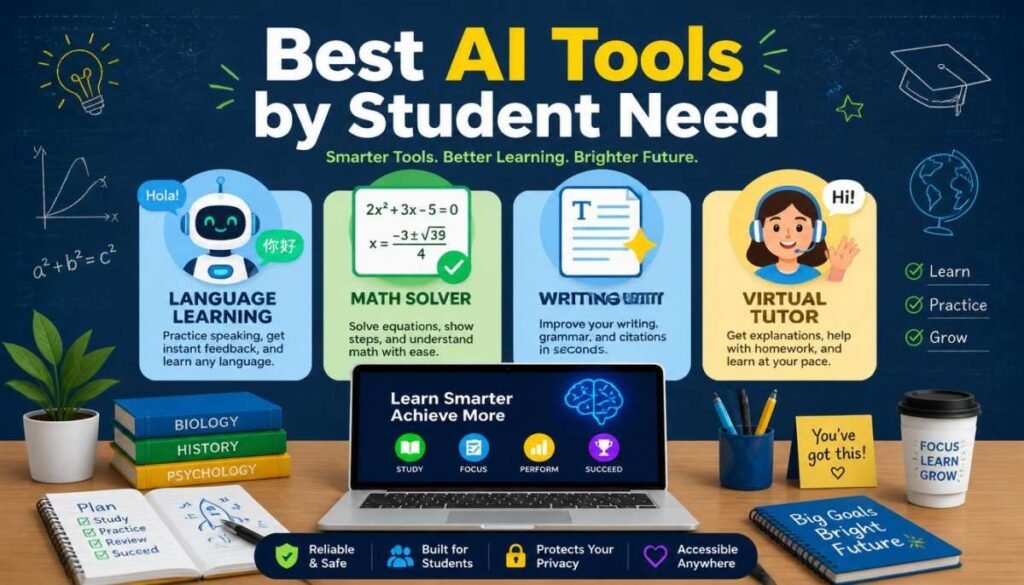
The best college AI tool is the one that addresses your biggest academic challenge. Before selecting a platform, consider how you’ll use it throughout the semester.
If your biggest struggle is writing, Grammarly may provide the most value. If research takes up most of your time, Perplexity AI could be a better investment. Students managing multiple courses often benefit from Notion AI, while coding students may gain the most from GitHub Copilot.
Features to Prioritize
Look for tools that offer:
- Ease of use
- Accurate information
- Free student plans
- Cross-device compatibility
- Privacy and security controls
- Academic-focused features
Free vs Paid Plans
Many AI tools offer generous free versions that are sufficient for most students. However, premium plans may provide faster responses, advanced features, larger usage limits, and enhanced research capabilities.
Before upgrading, determine whether the additional features will genuinely improve your academic performance.
Academic Integrity Considerations
AI should enhance learning rather than replace it.
Responsible uses include:
- Brainstorming ideas
- Reviewing concepts
- Creating study materials
- Organizing information
- Improving writing quality
Students should avoid:
- Submitting AI-generated assignments as original work
- Fabricating citations
- Using AI during restricted assessments
- Relying entirely on AI-generated answers
Always follow your institution’s academic integrity policies.
The Future of AI in College Education
Artificial intelligence is set to play an even bigger role in higher education in the coming years. Universities are already adopting AI-powered learning platforms, virtual tutors, and adaptive systems to improve how students learn.
One major trend is personalized learning, where AI analyzes student performance and recommends tailored study materials, practice exercises, and schedules based on individual needs.
AI research tools are also becoming more advanced, helping students find sources, summarize academic papers, and connect ideas across large amounts of information more efficiently.
In addition, career development is evolving with AI-driven platforms that suggest career paths, identify skill gaps, and support interview preparation based on job market trends.
As these technologies grow, AI literacy will become an essential skill for students preparing for the modern workforce.
Conclusion
AI tools are transforming how students learn, research, write, and prepare for their careers. The best college AI tools in 2026 are no longer simple productivity apps they function as study assistants, research partners, writing coaches, and career advisors.
For most students, ChatGPT remains the most versatile option. However, combining specialized tools such as Grammarly, Perplexity AI, Notion AI, and Quizlet AI can create a powerful academic toolkit that supports every stage of the college experience.
The key is to use AI strategically. Choose tools that solve real problems, verify information carefully, and use artificial intelligence to strengthen your learning rather than replace it.
Frequently Asked Questions
What is the most useful AI tool for college students?
ChatGPT is often considered the best overall AI tool for college students because it supports studying, research, brainstorming, and productivity. However, the best choice depends on your specific needs.
Is ChatGPT good for studying?
Yes. ChatGPT can explain difficult concepts, create study guides, generate practice questions, and help students understand course material more effectively.
What AI tool is best for research papers?
Perplexity AI is one of the best options for research because it provides source-backed responses and helps students discover relevant references.
Are free AI tools enough for college students?
For most students, yes. Free plans from tools like ChatGPT, Gemini, Grammarly, Quizlet, and Perplexity provide enough functionality for everyday academic tasks.
Can professors detect AI-generated work?
Many institutions use AI-detection tools, but these systems are not always accurate. Students should focus on using AI as a learning aid rather than generating complete assignments.

Oliver Sterling is a seasoned AI strategist and tech researcher. With a focus on generative AI and neural networks, he explores how artificial intelligence is reshaping industries. When not prompting LLMs, he’s busy analyzing the next big shift in technology.