
Your iPhone can now handle tasks that once needed expensive software or even a laptop. One strong AI app can organize messy notes, improve blurry photos, write emails, edit videos, and save hours every week. That shift feels surprisingly powerful once you experience it yourself. The problem is most users still download random trending apps that look impressive but offer very little real value after a few days.
People no longer use AI only for fun experiments or casual chatting. Students depend on AI tools for faster study notes and research summaries during stressful schedules. Content creators edit short videos directly from their phones while traveling or working remotely. Even business owners now rely on AI writing apps for emails, planning, and customer communication. That convenience explains why the best AI apps for iPhone are becoming part of daily life instead of temporary technology trends.
Why AI Apps Are Becoming Essential for iPhone Users
Modern digital life feels overwhelming sometimes. Notifications keep appearing, work never fully stops, and simple tasks slowly consume huge amounts of mental energy throughout the day. AI apps reduce some of that pressure naturally. Instead of manually fixing photos or rewriting captions repeatedly, users can complete those tasks within seconds. That speed creates a smoother and less stressful mobile experience for people constantly balancing multiple responsibilities daily.
The biggest advantage is not just automation. It is the feeling of mental relief these apps quietly create over time. A student organizing lecture notes feels less overwhelmed before exams. A creator editing reels saves energy during busy content schedules. Even casual users benefit from AI tools simplifying everyday digital tasks. The best AI apps for iPhone succeed because they solve practical frustrations people already experience regularly instead of offering complicated features nobody truly needs.
Best Free AI Apps for iPhone
ChatGPT remains one of the most useful AI apps because it handles writing, brainstorming, planning, and productivity support extremely well. Many users rely on it daily for emails, study help, captions, and quick explanations. Gemini also continues growing rapidly among iPhone users who prefer research-focused answers connected smoothly with Google services. Both apps feel beginner-friendly which makes them useful for students, professionals, and casual users alike.
Claude attracts people who prefer calmer and more thoughtful writing support during long discussions or creative work. Meanwhile Perplexity AI became popular because it delivers source-based answers quickly without overwhelming users with unnecessary details. Canva AI also stands out among creators designing social media posts, presentations, and visual content directly from mobile devices. The best AI apps for iPhone feel practical because they improve real routines instead of chasing flashy technology trends.
Best Free AI Apps for iPhone
Many users hesitate before paying for AI subscriptions immediately. That concern makes complete sense because some apps promise incredible results but feel disappointing after purchase. Fortunately, several free AI apps still offer impressive features without forcing upgrades instantly. ChatGPT, Gemini, Canva AI, and Perplexity AI provide genuinely useful free versions that help users improve productivity, creativity, and organization without spending money upfront during the learning stage.
Free apps become valuable when they still feel functional without constant restrictions. Some low-quality tools aggressively block features after only a few uses which quickly frustrates users. Strong free AI apps focus on building trust first. For example, students can organize study notes while creators improve social content without needing premium plans immediately. The best AI apps for iPhone succeed because their free versions already solve meaningful everyday problems naturally and effectively.
Best AI Photo Apps for iPhone
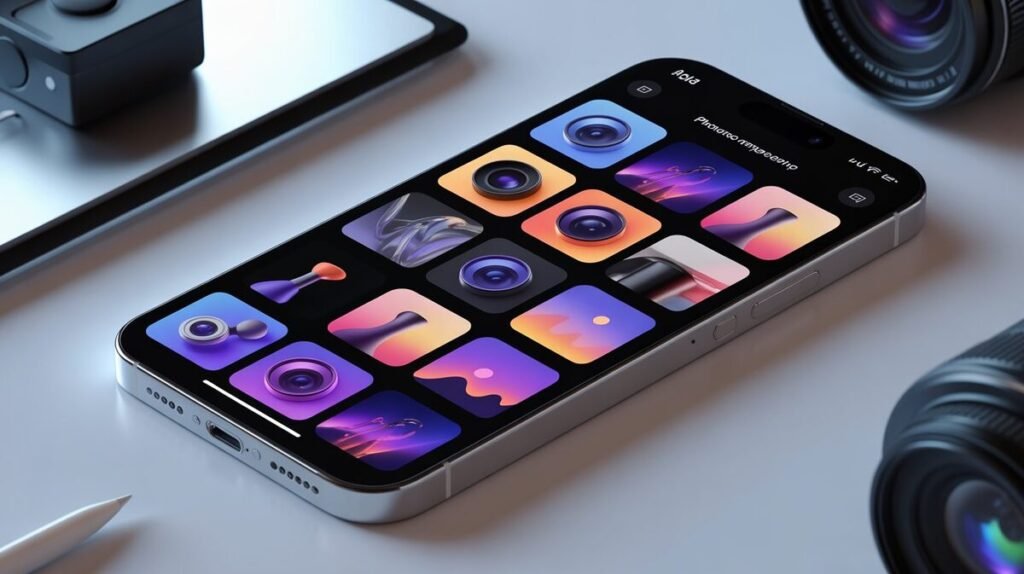
Photo editing once required advanced technical skills and complicated desktop software. AI photo apps completely changed that experience for ordinary users. Apps like Remini sharpen blurry pictures quickly while Canva AI helps creators design cleaner and more polished visuals directly from mobile devices. Some tools even remove unwanted objects or improve lighting automatically which saves enormous amounts of editing time during busy daily schedules.
Social media users especially notice these improvements quickly. A rushed travel photo or low-light selfie can suddenly look professional after only a few taps. That convenience helps creators maintain better visual consistency online without spending hours learning complicated editing workflows. AI photo tools also generate avatars, artistic styles, and enhanced portraits automatically. The best AI apps for iPhone make creative editing feel simple and accessible instead of intimidating for beginners.
Best AI Video Apps for iPhone
Short-form videos dominate almost every social platform now. Unfortunately, editing videos manually still consumes huge amounts of time and energy for creators. AI video apps simplify that process dramatically. CapCut AI and Captions automatically generate subtitles, improve voice clarity, and organize clips much faster than traditional editing methods. That speed allows creators to focus more on storytelling instead of repetitive editing tasks slowing production constantly.
Imagine recording a quick travel vlog and finishing the edit before reaching your hotel room later that evening. That level of convenience once sounded unrealistic for mobile editing workflows. However, AI video apps now make those processes surprisingly manageable directly from iPhones. Creators, influencers, and small businesses increasingly depend on these tools because consistent content creation feels far less stressful when editing becomes faster and more efficient overall.
Best AI Writing Apps for iPhone
Writing under pressure feels mentally exhausting sometimes. Students rush assignments while professionals answer endless emails throughout overloaded workdays. AI writing apps reduce that pressure surprisingly well. ChatGPT and Grammarly AI help users organize ideas, improve clarity, and generate smoother writing much faster. These tools save valuable mental energy while helping users communicate more effectively during stressful schedules filled with constant digital communication tasks.
Many users misunderstand AI writing completely. The strongest tools do not replace creativity. Instead, they support faster thinking and cleaner organization during busy moments. A business owner may use AI for product descriptions while still customizing tone manually afterward. Students may brainstorm ideas faster before writing naturally themselves. The best AI apps for iPhone support human creativity instead of removing personality or making communication feel emotionally disconnected from real experiences.
AI Apps That iPhone Users Recommend Most
Some AI apps quietly become daily essentials because users genuinely enjoy returning to them repeatedly. ChatGPT remains one of the most recommended options because it feels flexible enough for productivity, creativity, studying, and casual help. Canva AI also receives strong praise from creators who need fast visual content directly from mobile devices. Those tools stand out because they solve multiple problems instead of focusing on one narrow feature only.
Perplexity AI gained attention among users who value quick and reliable research summaries without unnecessary distractions. Meanwhile CapCut AI became popular among creators producing TikTok videos, Instagram Reels, and YouTube Shorts consistently. Strong recommendations usually come from practical experience rather than marketing hype. The best AI apps for iPhone continue spreading naturally because users notice real improvements in workflow, organization, creativity, and overall productivity after using them regularly.
Are AI Apps Safe for iPhone Users?
Privacy concerns naturally increase whenever apps handle writing data, photos, or personal information regularly. Many users worry AI tools collect too much information without transparency behind the scenes. That concern feels completely reasonable today. Some lower-quality apps request unnecessary permissions while storing sensitive data poorly. Smart users should always review privacy settings carefully before downloading unfamiliar AI tools from advertisements or unreliable developers online.
Trusted companies usually provide stronger security standards and clearer privacy practices overall. Apps from OpenAI, Google, and Microsoft generally offer safer experiences compared with random apps promising unrealistic AI features overnight. However, users should still avoid uploading sensitive financial documents or personal identity information carelessly into AI systems. The best AI apps for iPhone balance convenience with responsible privacy protection which helps users feel more comfortable using artificial intelligence daily.
Final Thoughts
AI apps are no longer futuristic experiments reserved only for technology enthusiasts. They now shape how students study, how creators edit content, and how professionals manage stressful workloads directly from smartphones. The strongest apps succeed because they remove repetitive tasks while making digital life feel smoother and less overwhelming overall. That practical usefulness explains why AI apps continue becoming more important across productivity, creativity, and communication daily.
The most surprising part is how quickly these tools continue evolving. Features that once sounded unrealistic now exist directly inside devices people already carry everywhere. Some users still hesitate because artificial intelligence feels unfamiliar initially. However, small experiences often change opinions quickly once the convenience becomes visible firsthand. The best AI apps for iPhone help users work smarter while keeping creativity and personal control firmly in human hands.
FAQs
What is the best AI app for iPhone?
ChatGPT is currently one of the best AI apps for iPhone because it helps with writing, productivity, brainstorming, and everyday questions quickly and smoothly.
Which AI app is free for iPhone users?
Apps like ChatGPT, Gemini, Canva AI, and Perplexity AI offer strong free plans for students, creators, and casual iPhone users.
What AI apps are best for photo editing?
Remini, Canva AI, and PicsArt AI are popular choices for improving image quality, removing objects, and creating social media visuals.
Which AI video app works best on iPhone?
CapCut AI and Captions are excellent for automatic subtitles, voice enhancement, and short-form video editing on iPhone devices.

Oliver Sterling is a seasoned AI strategist and tech researcher. With a focus on generative AI and neural networks, he explores how artificial intelligence is reshaping industries. When not prompting LLMs, he’s busy analyzing the next big shift in technology.